

Задание
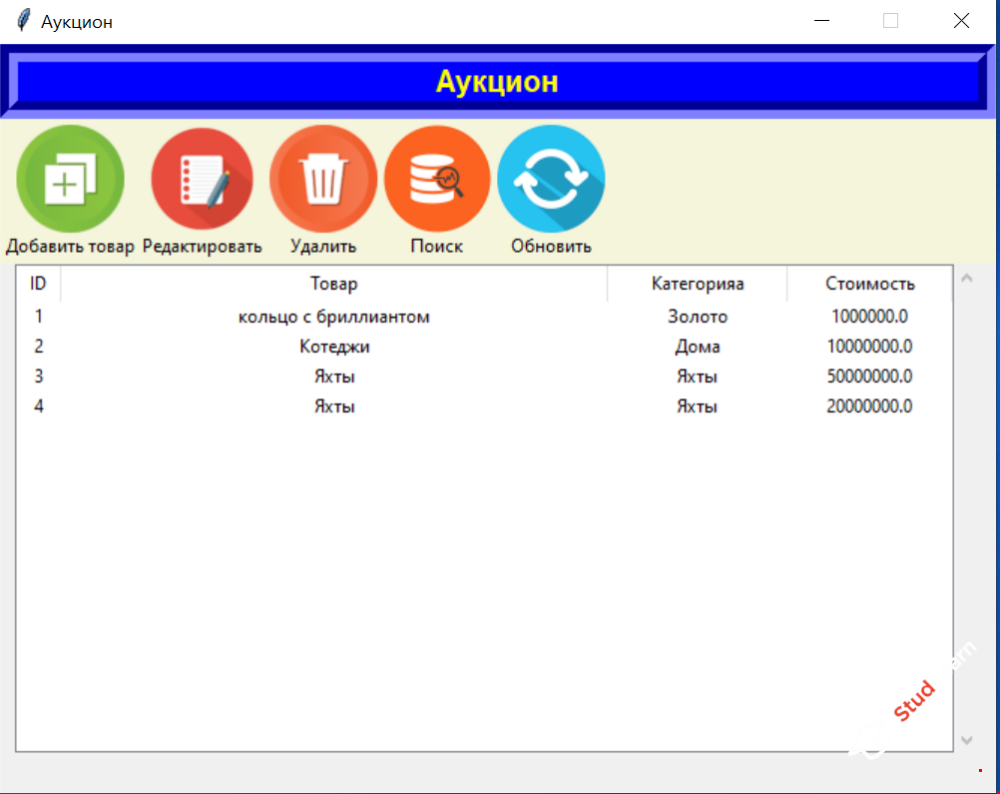
Разработать приложение Аукцион на языке Python для учета продаваемых с аукциона товаров, а также калькулятор для расчета стоимости.
Функционал программы
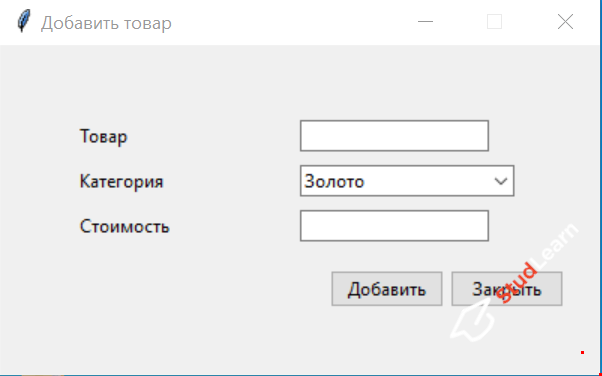
- добавление товара
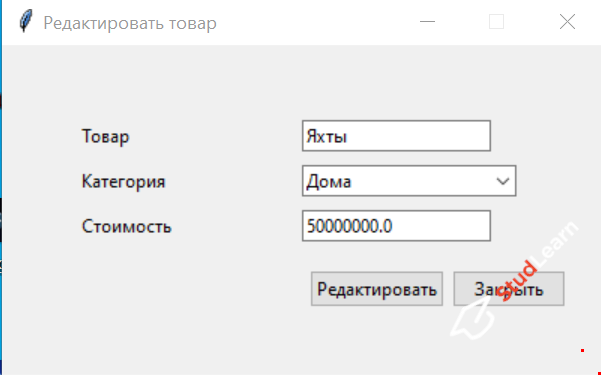
- редактирование товара
- удаление товара
- поиск
- перезагрузка
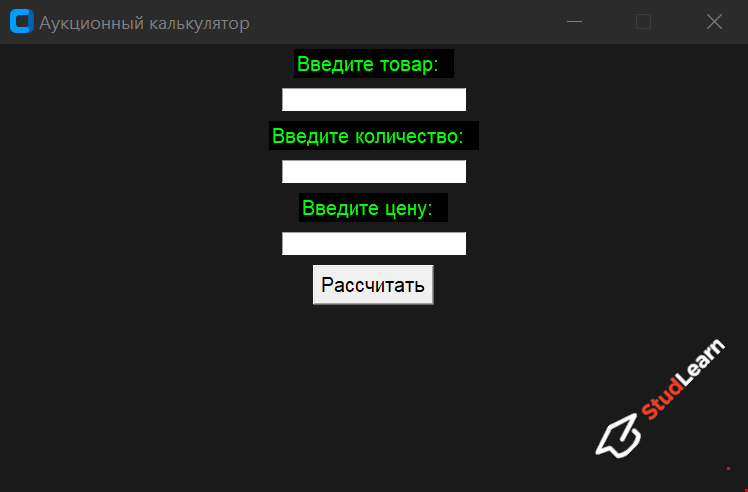
- расчет стоимости
Фрагмент программного кода
import tkinter as tk
from tkinter import ttk
import sqlite3
from PIL import ImageTk


# Класс Main
def open_update_dialog():
    Update()


class Main(tk.Frame):
    def __init__(self, root):
        super().__init__(root)
        self.tree = None
        self.refresh_img = ImageTk.PhotoImage(file='refresh.png')
        self.search_img = ImageTk.PhotoImage(file='search.png')
        self.delete_img = ImageTk.PhotoImage(file='delete.png')
        self.update_img = ImageTk.PhotoImage(file='edit.png')
        self.add_img = ImageTk.PhotoImage(file='add.png')
        self.init_main()
        self.db = db
        self.view_records()

    # Главное окно
    def init_main(self):
        title_label = tk.Label(root, text="Аукцион", font=("Arial", 15, "bold"),
                               border=12, relief=tk.GROOVE, bg="blue", foreground="yellow")

        title_label.pack(side=tk.TOP, fill=tk.X)

        toolbar = tk.Frame(bg='beige', bd=2)
        toolbar.pack(side=tk.TOP, fill=tk.X)

        btn_open_dialog = tk.Button(toolbar, text='Добавить товар', command=self.open_dialog, bg='beige',
                                    bd=0, compound=tk.TOP, image=self.add_img)
        btn_open_dialog.pack(side=tk.LEFT)

        btn_edit_dialog = tk.Button(toolbar, text='Редактировать', bg='beige', bd=0, image=self.update_img,
                                    compound=tk.TOP, command=open_update_dialog)
        btn_edit_dialog.pack(side=tk.LEFT)

        btn_delete_dialog = tk.Button(toolbar, text='Удалить', bg='beige', bd=0, image=self.delete_img,
                                      compound=tk.TOP, command=self.delete_records)
        btn_delete_dialog.pack(side=tk.LEFT)

        btn_search = tk.Button(toolbar, text='Поиск', bg='beige', bd=0, image=self.search_img,
                               compound=tk.TOP, command=self.open_search_dialog)

        btn_search.pack(side=tk.LEFT)

        btn_refresh = tk.Button(toolbar, text='Обновить', bg='beige', bd=0, image=self.refresh_img,
                                compound=tk.TOP, command=self.view_records)
        btn_refresh.pack(side=tk.LEFT)

        columns = ('ID', 'product', 'category', 'amount')

        self.tree = ttk.Treeview(self, columns=columns, height=15, show='headings')

        self.tree.column('ID', width=30, anchor=tk.CENTER)
        self.tree.column('product', width=365, anchor=tk.CENTER)
        self.tree.column('category', width=120, anchor=tk.CENTER)
        self.tree.column('amount', width=110, anchor=tk.CENTER)

        self.tree.heading('ID', text='ID')
        self.tree.heading('product', text='Товар')
        self.tree.heading('category', text='Категорияа')
        self.tree.heading('amount', text='Стоимость')

        self.tree.pack(side=tk.LEFT)

        scroll = tk.Scrollbar(self, command=self.tree.yview)
        scroll.pack(side=tk.LEFT, fill=tk.Y)
        self.tree.configure(yscrollcommand=scroll.set)

    # Добавление данных
    def records(self, product, category, amount):
        self.db.insert_data(product, category, amount)
        self.view_records()

    # Обновление данных
    def update_record(self, product, category, amount):
        self.db.c.execute('''UPDATE auction SET product=?, category=?, amount=? WHERE ID=?''',
                          (product, category, amount, self.tree.set(self.tree.selection()[0], '#1')))
        self.db.conn.commit()
        self.view_records()

    # Вывод данных
    def view_records(self):
        self.db.c.execute('''SELECT * FROM auction''')
        [self.tree.delete(i) for i in self.tree.get_children()]
        [self.tree.insert('', 'end', values=row) for row in self.db.c.fetchall()]

    # Удаление данных
    def delete_records(self):
        for selection_item in self.tree.selection():
            self.db.c.execute('''DELETE FROM auction WHERE id=? ''', (self.tree.set(selection_item, '#1'),))
            self.db.conn.commit()
            self.view_records()

    # Поиск данных
    def search_records(self, product):
        product = ('%' + product + '%',)
        self.db.c.execute('''SELECT * FROM auction WHERE product LIKE ?''', product)
        [self.tree.delete(i) for i in self.tree.get_children()]
        [self.tree.insert('', 'end', values=row) for row in self.db.c.fetchall()]

    # Открытие дочернего окна
    @staticmethod
    def open_dialog():
        Child()

    @staticmethod
    def open_search_dialog():
        Search()


# Дочернее окно
class Child(tk.Toplevel):
    def __init__(self):
        super().__init__(root)
        self.btn_ok = ttk.Button(self, text='Добавить')
        self.combobox = ttk.Combobox(self, values=[u'Золото', u'Дома', u'Яхты'])
        self.entry_amount = ttk.Entry(self)
        self.entry_product = ttk.Entry(self)
        self.init_child()
        self.view = app

    def init_child(self):
        self.title('Добавить товар')
        self.geometry('400x220+400+300')
        self.resizable(False, False)

        label_product = tk.Label(self, text='Товар')
        label_product.place(x=50, y=50)

        label_category = tk.Label(self, text='Категория')
        label_category.place(x=50, y=80)

        label_amount  = tk.Label(self, text='Стоимость')
        label_amount.place(x=50, y=110)

        self.entry_product.place(x=200, y=50)

        self.entry_amount.place(x=200, y=110)

        self.combobox.current(0)
        self.combobox.place(x=200, y=80)

        btn_cancel = ttk.Button(self, text='Закрыть', command=self.destroy)
        btn_cancel.place(x=300, y=150)

        self.btn_ok.place(x=220, y=150)
        self.btn_ok.bind('<Button-1>', lambda event: self.view.records(self.entry_product.get(),
                                                                       self.combobox.get(),
                                                                       self.entry_amount.get()))

        self.grab_set()
        self.focus_set()


# Класс обновления унаследованный от дочернего окна
class Update(Child):
    def __init__(self):
        super().__init__()
        self.init_edit()
        self.view = app
        self.db = db
        self.default_data()

    def init_edit(self):
        self.title('Редактировать товар')
        btn_edit = ttk.Button(self, text='Редактировать')
        btn_edit.place(x=205, y=150)
        btn_edit.bind('<Button-1>', lambda event: self.view.update_record(self.entry_product.get(),
                                                                          self.combobox.get(),
                                                                          self.entry_amount.get()))
        self.btn_ok.destroy()

    def default_data(self):
        self.db.c.execute('''SELECT * FROM auction WHERE id=?''',
                          (self.view.tree.set(self.view.tree.selection()[0], '#1'),))
        row = self.db.c.fetchone()
        self.entry_product.insert(0, row[1])
        if row[2] != 'Золото':
            self.combobox.current(1)
        self.entry_amount.insert(0, row[3])


# Поиск по наименованию
class Search(tk.Toplevel):
    def __init__(self):
        super().__init__()
        self.entry_search = ttk.Entry(self)
        self.init_search()
        self.view = app

    def init_search(self):
        self.title('Поиск')
        self.geometry('300x100+400+300')
        self.resizable(False, False)

        label_search = tk.Label(self, text='Поиск')
        label_search.place(x=50, y=20)

        self.entry_search.place(x=105, y=20, width=150)

        btn_cancel = ttk.Button(self, text='Закрыть', command=self.destroy)
        btn_cancel.place(x=185, y=50)

        btn_search = ttk.Button(self, text='Поиск')
        btn_search.place(x=105, y=50)
        btn_search.bind('<Button-1>', lambda event: self.view.search_records(self.entry_search.get()))
        btn_search.bind('<Button-1>', lambda event: self.destroy(), add='+')


# Создание базы данных
class DB:
    def __init__(self):
        self.conn = sqlite3.connect('session.db')
        self.c = self.conn.cursor()
        self.c.execute(
            '''CREATE TABLE IF NOT EXISTS auction (id integer primary key, product text,
            category text, amount real)''')
        self.conn.commit()

    def insert_data(self, product, category, amount):
        self.c.execute('''INSERT INTO auction (product, category, amount) VALUES (?, ?, ?) ''',
                       (product, category, amount))
        self.conn.commit()


# Основной код для запуска
if __name__ == "__main__":
    root = tk.Tk()
    db = DB()
    app = Main(root)
    app.pack()
    root.geometry("665x500+300+200")
    root.title("Аукцион")
    root.resizable(False, False)
    root.mainloop()
Фрагмент программного кода
import customtkinter
from tkinter import *


customtkinter.set_appearance_mode("dark")
customtkinter.set_default_color_theme("dark-blue")

def calculation():
    earnings = float(quantity.get()) * float(price.get())
    result['text'] = f'{product.get()} продано на сумму {earnings} руб'
    result.pack()


root = customtkinter.CTk()
root.title("Аукционный калькулятор")
root.geometry("500x310")
root.resizable(False, False)

Label(root, text='Введите товар:  ', font=("Arial", 15), fg='lime', bg='black').pack(pady=5)

product = Entry(root, font=("Arial", 13))
product.pack(pady=5)

Label(root, text='Введите количество:  ', font=("Arial", 15), fg='lime', bg='black').pack(pady=5)

quantity = Entry(root, font=("Arial", 13))
quantity.pack(pady=5)

Label(root, text='Введите цену:  ', font=("Arial", 15), fg='lime', bg='black').pack(pady=5)

price = Entry(root, font=("Arial", 13))
price.pack(pady=5)

btn = Button(root, text='Рассчитать', font=("Arial", 15), command=calculation)
btn.pack(pady=5)

result = Label(root, font=("Arial", 15), fg='lime', bg='black')

root.mainloop()
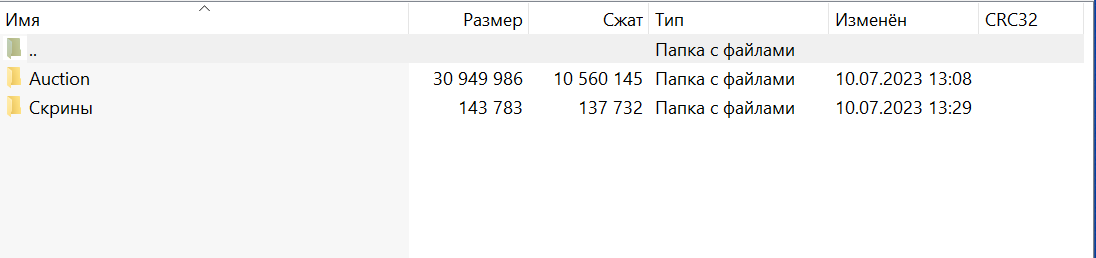
Скриншот архива с проектом
Пояснения по запуску программы
Скачать Python и установить. Скачать и установить PyCharm, запустить проект.
 Телеграм

-